


Umbraco upgrade? Here's how to move smartly: new site and all your content, hassle-free.
12 November 2025
2 minute read

Many websites use tables to display product data, for example. However, in Umbraco, there is no real standard solution for this, except for a simple table editor in the Rich Text Editor. The output from this editor is difficult to control and especially falls short in terms of accessibility and flexibility. That’s why we developed the Webwonders Table Editor for Umbraco.
Available via the Umbraco Marketplace:
https://marketplace.umbraco.com/package/webwonders.umbraco.tableeditor
In our Umbraco projects, we regularly encountered limitations with existing table editors. Too few settings for editors, messy HTML output, or complex frontend solutions for something that should really be simple.
The Webwonders Table Editor is built from actual project needs. No generic content dump, but a structured content element that is suitable for production environments.
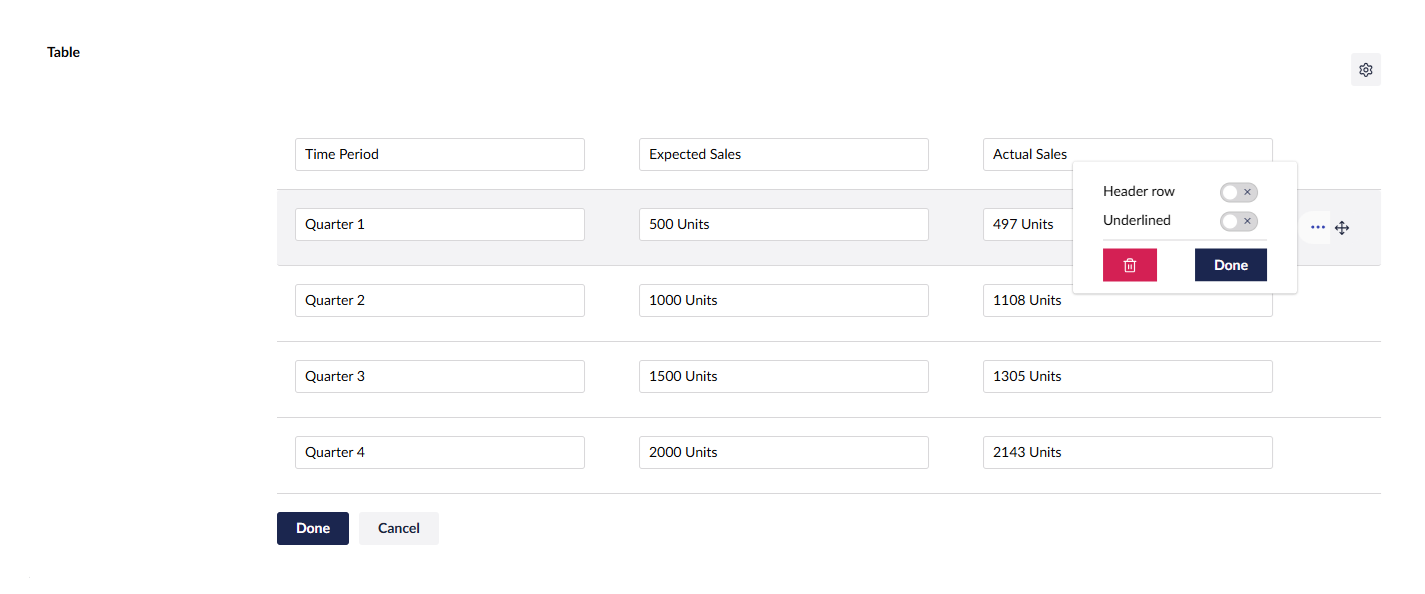
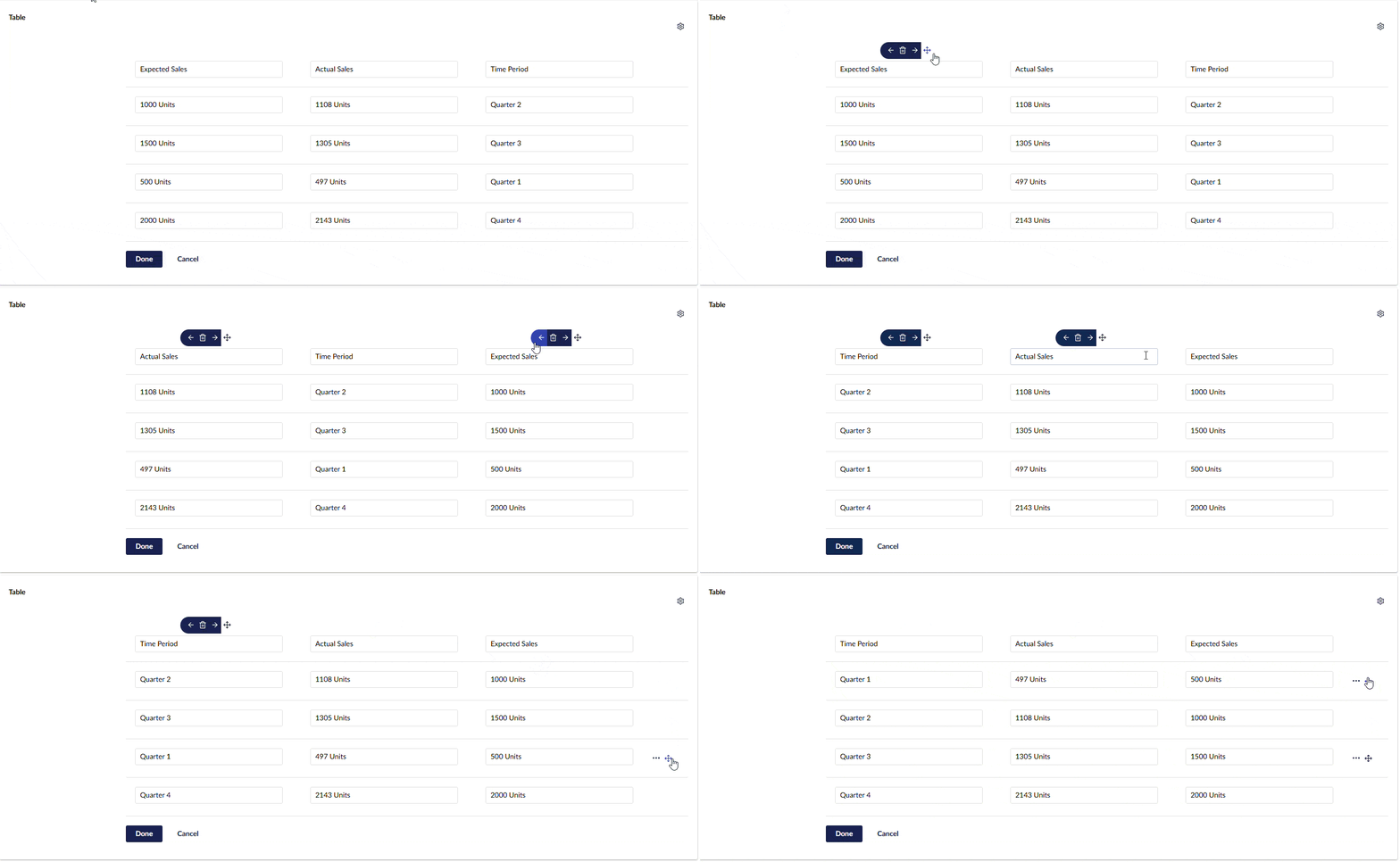
Editors work with an intuitive table editor in the Umbraco back office.
Main features:
Add, remove, and rearrange rows and columns
Settings per row, such as header rows and underlined rows
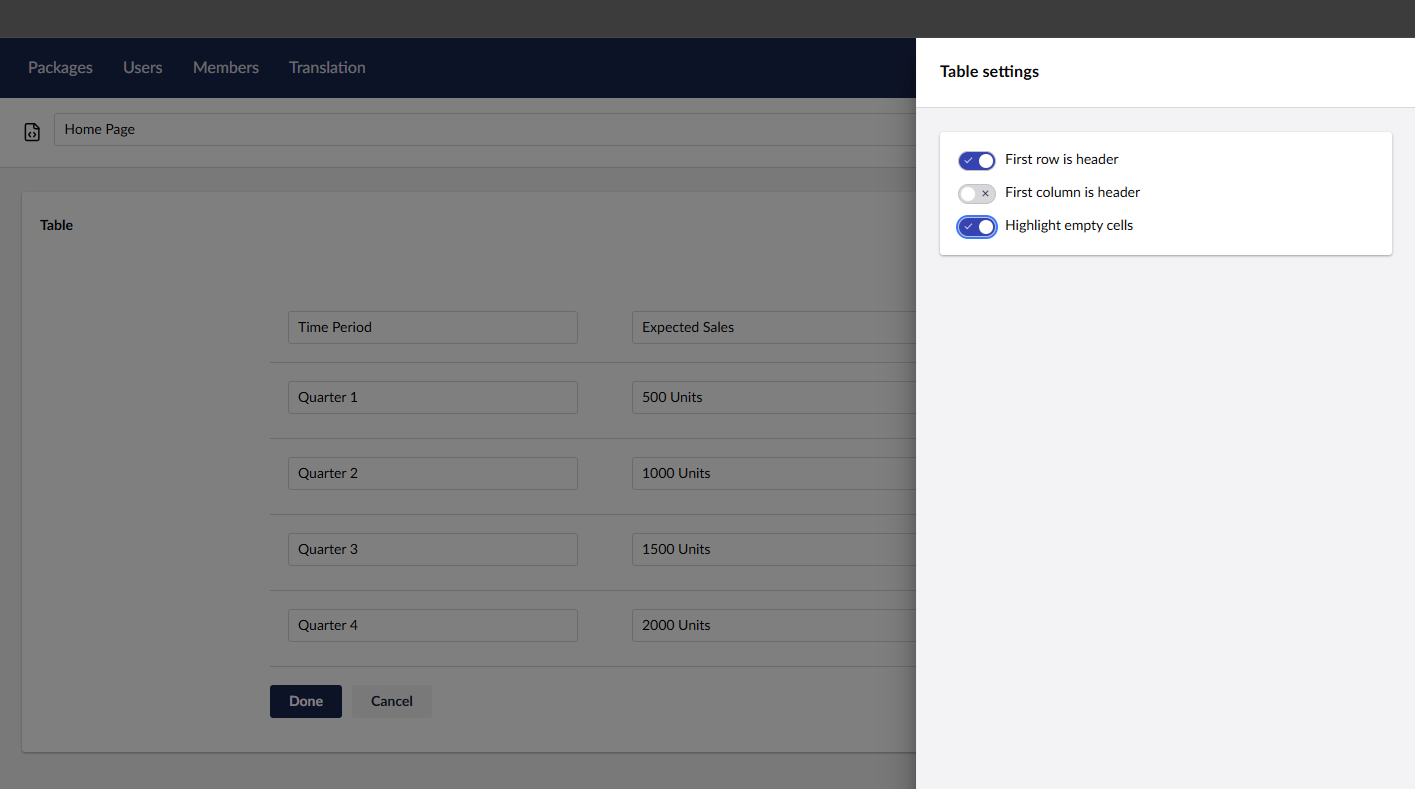
Global table settings:
Column headers
Row headers
Highlighting of empty cells
This keeps the content manageable, clear, and consistent.
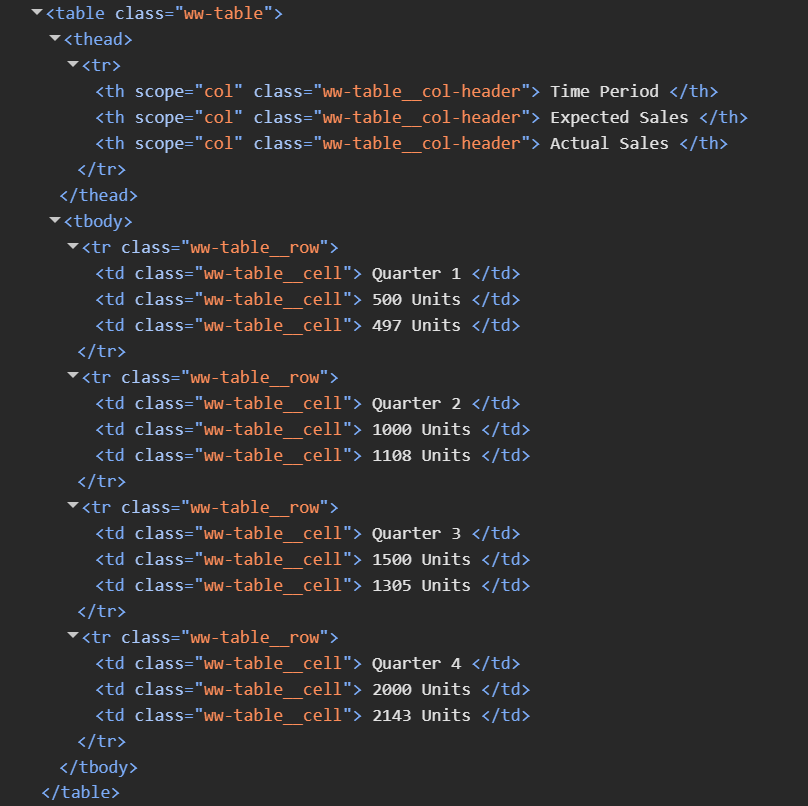
For developers, the Table Editor offers exactly what is needed: control and predictability.
Strongly typed table model
Semantically correct HTML
Simple Razor rendering
Standard rendering included
Easy to override with custom Razor views, without JavaScript
Styling is completely flexible. The editor adapts to the project, not the other way around.
Installation via NuGet:
dotnet add package Webwonders.Umbraco.TableEditor
Rendering can be done directly with the included HtmlHelper:
@await Html.RenderTableAsync(Model, "tableEditorAlias")
Themes are Razor views and easily customised via:
/Views/Partials/Tables/{theme}.cshtml
Umbraco CMS 17+
.NET 10+
The Webwonders Table Editor is intended for Umbraco projects where tables are more than just rows and columns. With more control for editors, better semantics for developers, and complete freedom in styling.
This is exactly how we like to work.
Want to know if the Table Editor fits into your Umbraco environment? schedule a consultation.

Blog


